Case study / Rambus / Differential power analysis
More than
an interface.
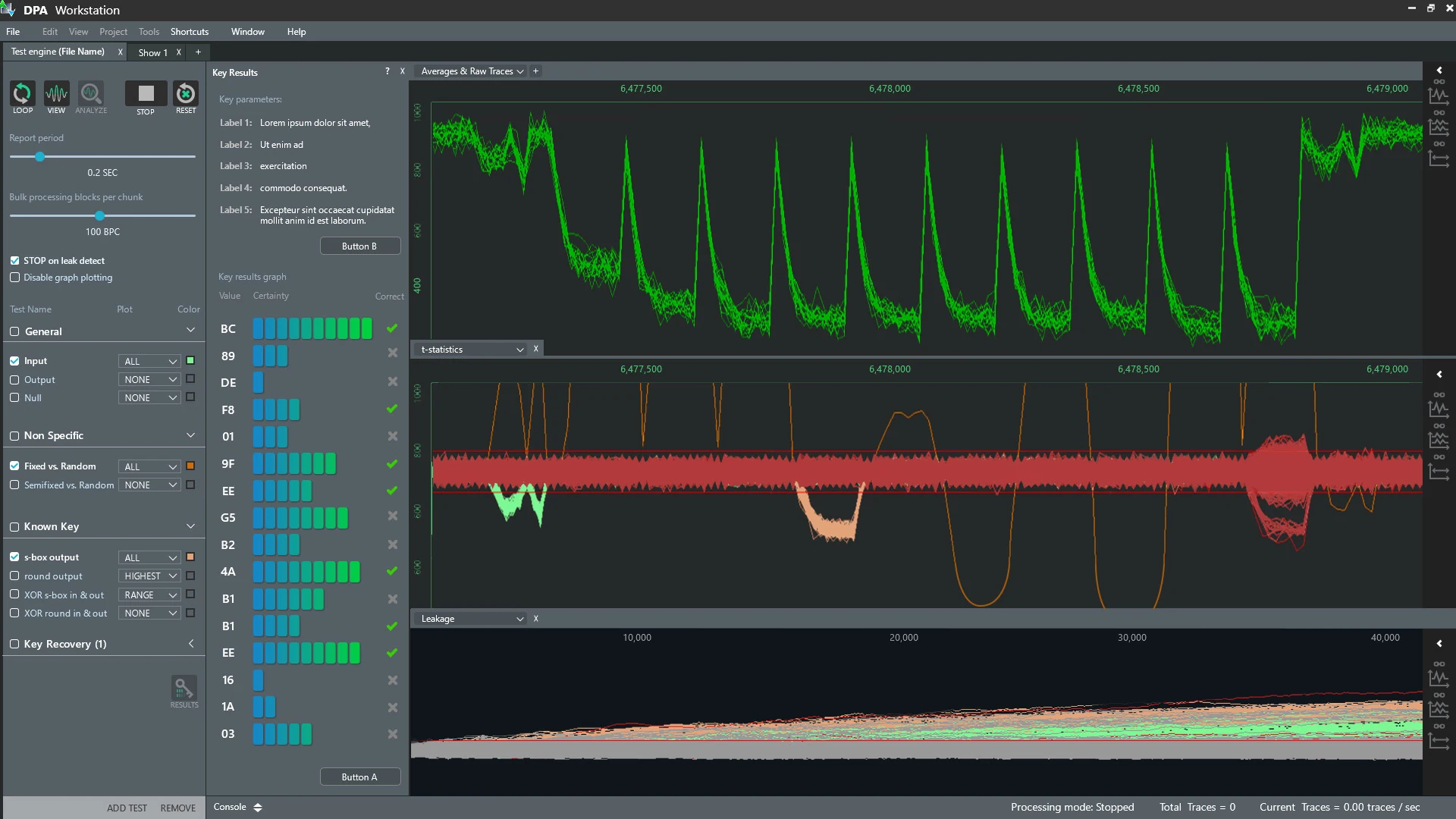
A request for a graphical interface opened up a larger question: how do people learn, configure and use a deeply technical research tool?
- My role
- Design lead in a small team
- Setting
- San Francisco & remote · 2018
- Scope
- Research, workflows, UI & training
- Collaboration
- Engineering, users, instructors & support
01 / The starting point
Powerful technology.
A demanding way in.
The product helped specialists capture and analyze electromagnetic traces from hardware. Using it required a combination of specialist equipment, a Python environment, scripts and a detailed understanding of the analysis process.
I initially joined to design a UI layer. But the difficulty extended beyond the screen. Customers needed extensive training, engineers were drawn into demonstrations, and support staff had to bridge gaps in users’ understanding.
A better-looking interface alone would leave much of that work untouched.
02 / Learning the domain
First, become a student.
I spent the initial on-site period learning the hardware, the underlying theory and the existing training material. I worked with engineers on active cases, spoke with instructors and users, and learned from the recurring questions reaching support.
This changed the scope I proposed. Alongside the interface, we needed reusable configurations and workflows for common tasks, plus a way to teach the product at different levels of expertise.
The problem included the software, the setup and the learning around it.
Prototypes became a shared working language. I could listen, ask questions and put a possible interaction in front of the team while the discussion was still happening.
03 / Making setup visible
The important decisions
happen before the test.
Collecting traces could take days. That made the configuration step particularly important: users needed to set up the procedure before committing to a long-running test.
- Expose the actionsConnect Python scripts to interface controls so that routine tasks no longer depended on remembering commands.
- Show the configurationPresent settings and test parameters in the UI, where users could inspect and adjust them before starting.
- Leave room to growUse presets and an expandable framework to support recurring workflows while keeping specialist controls available.
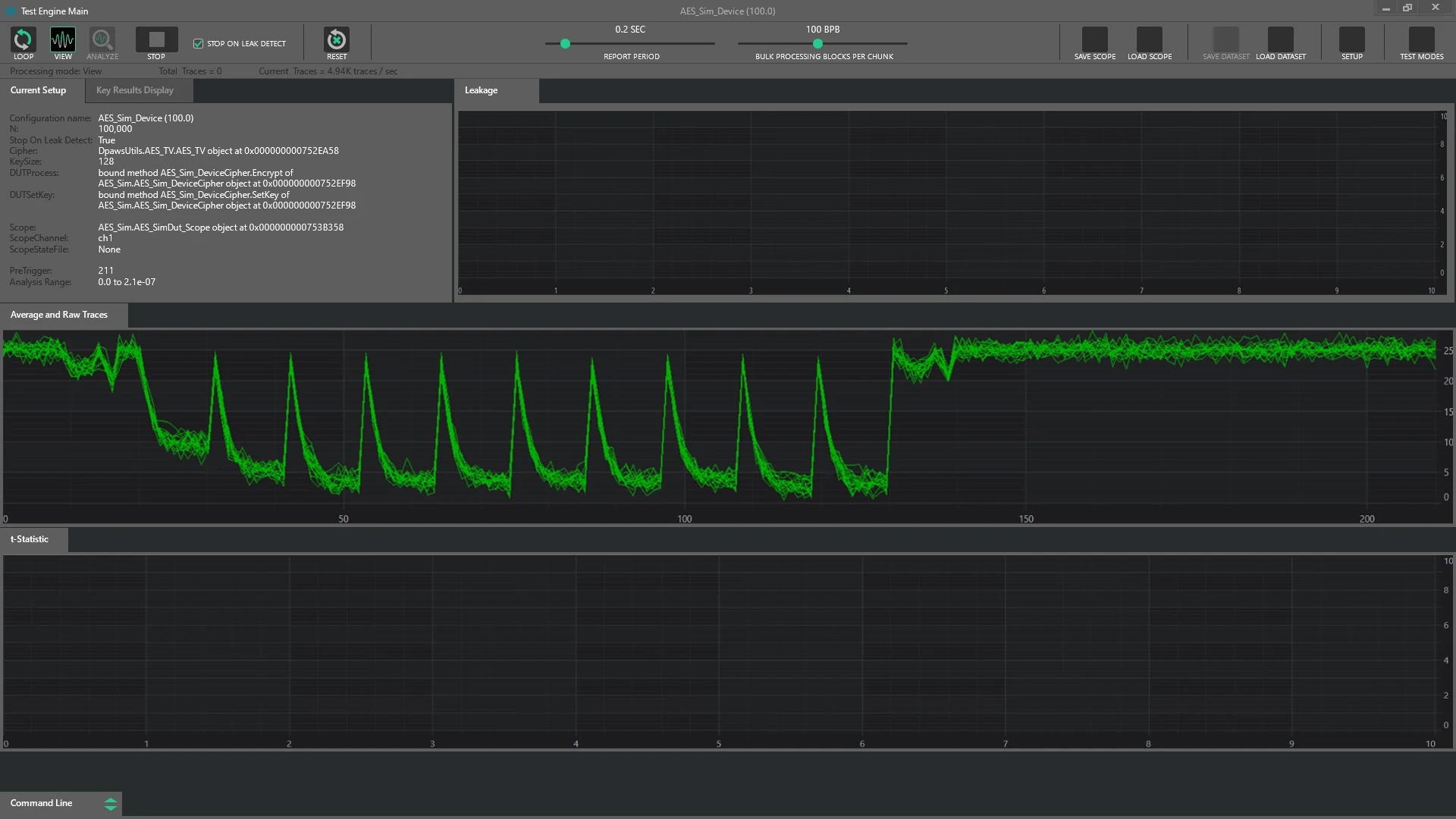
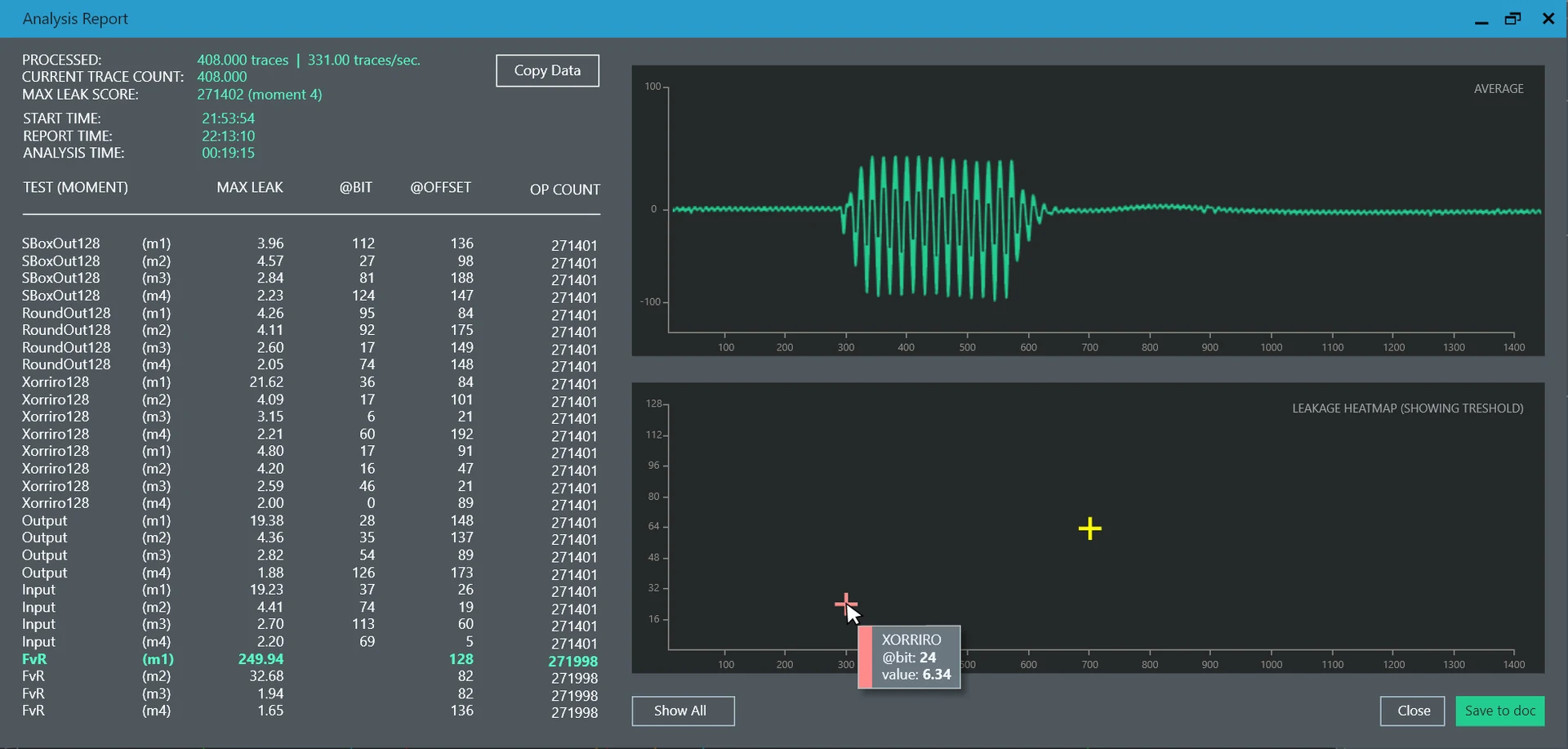
The design developed through rounds of testing and conversations with users, instructors, students and engineers. Those discussions helped us refine the structure, customization and preset definitions as the product evolved.
04 / Beyond the software
Different users.
Different depths of knowledge.
As presets and guided workflows supported more routine analysis, we revisited the training. Did every user still need the same expert-level course?
Working with engineers, an instructor and a tutorial writer, we reorganized the material into three levels. I also designed a web-based tutorial library to make product information easier to find and revisit.
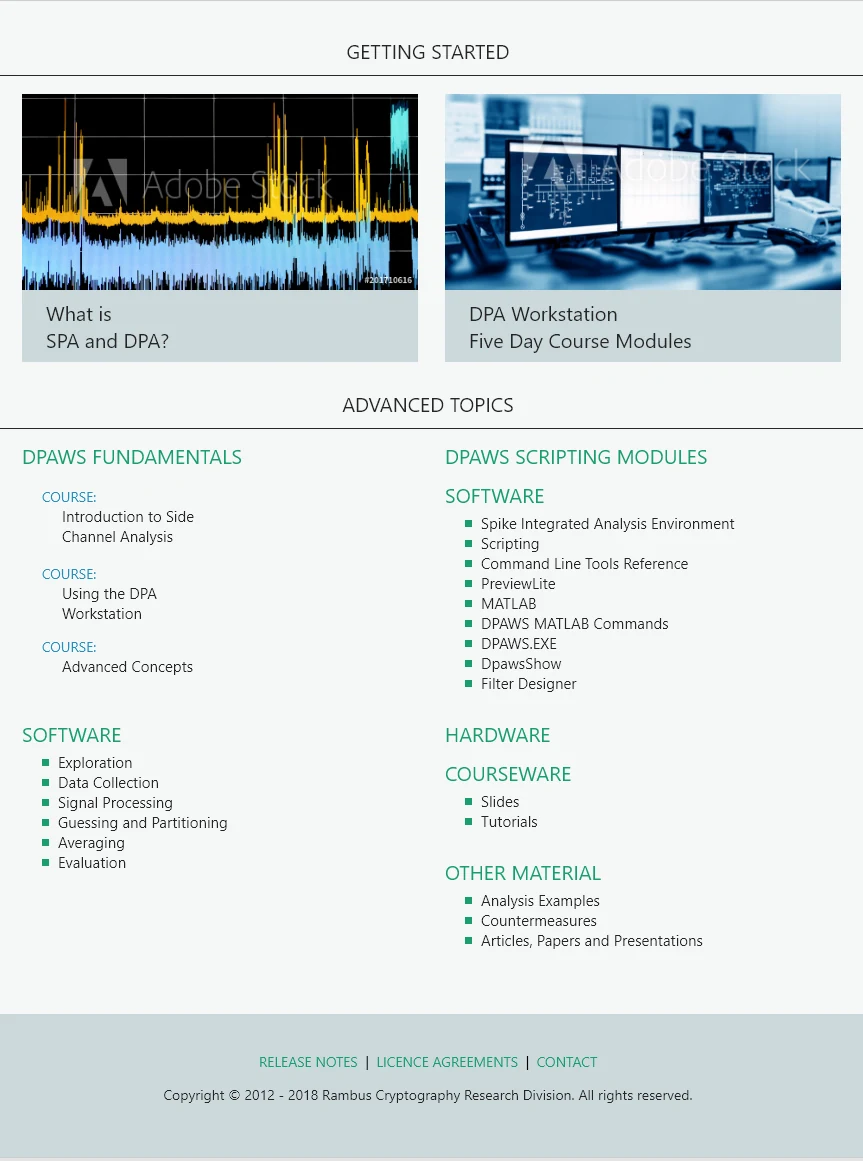
The interface and the learning material were treated as connected parts of the same product experience.
05 / What changed
A wider view of the work.
The work expanded from a UI layer into an approach to configuration, recurring tasks and product education. After the on-site work, I continued remotely for seven months, contributing new feature designs, assets and implementation reviews. Support and further development continued into 2019.
For me, this project is a good example of why domain knowledge matters. The useful design decisions came from understanding the system and the people around it, then working with the team to connect the pieces.
This case study revisits the 2018 engagement. The interfaces shown are original project images.